
Download Lighten PDF Converter Master – convert PDF to Word, convert PDF to Excel, convert PDF to PowerPoint
Overview
Lighten PDF Converter Master is a specialized productivity tool designed for users who regularly interact with PDF documents and require efficient ways to convert them into editable formats. The app addresses a common pain point: the difficulty of editing or modifying content within PDFs, which are often locked down and not easily adaptable to other workflows. By enabling quick and accurate conversions, the software streamlines document management, particularly for professionals, students, and administrative staff who frequently handle reports, forms, presentations, and spreadsheets in PDF format.
Target users include individuals working in office environments, academic institutions, or freelance roles where document interoperability is essential. The tool supports conversion to formats such as Microsoft Word, PowerPoint, Excel, images, and plain text, making it a versatile solution across different use cases. Whether you're extracting data for analysis, repurposing a report for a presentation, or editing a contract, Lighten PDF Converter Master simplifies the process.
Developed by Lighten Software, the application has been available since 2018, indicating a stable presence in the document conversion space. Although the developer did not provide additional technical details, the consistent release cycle and long-term availability suggest reliability and ongoing support. Its role in the broader productivity ecosystem is significant, offering a lightweight yet powerful alternative to more complex document suites.
Key Features & Functionality
- Fast Conversion Speed: The software is optimized for rapid processing, capable of converting large files—such as a 100-page PDF—in under a minute. This efficiency is particularly valuable in time-sensitive environments where delays in document preparation can impact workflows.
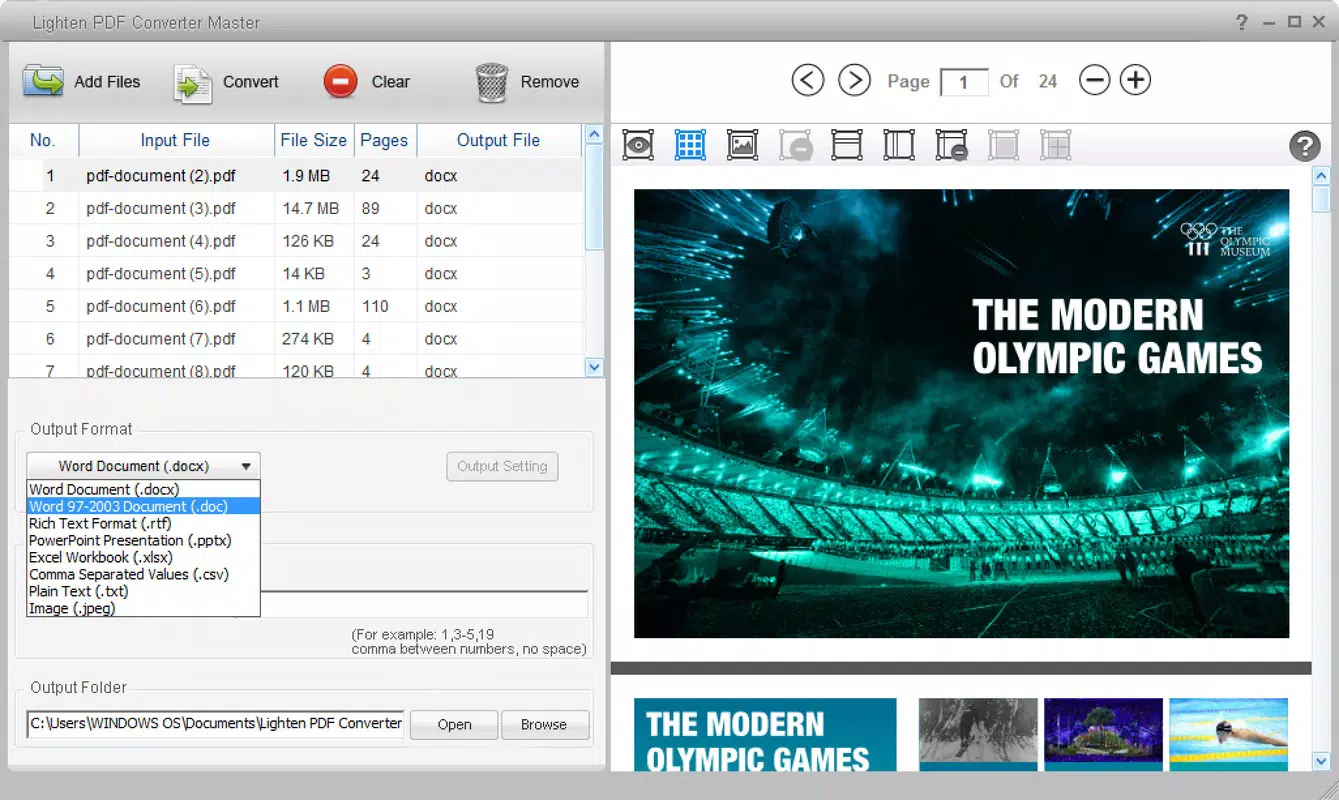
- Extensive Format Compatibility: It supports conversion to multiple widely used formats including Word (.docx), PowerPoint (.pptx), Excel (.xlsx), image formats (PNG, JPEG), and plain text. This breadth ensures users can adapt their content for various downstream applications.
- User-Friendly Interface: The design prioritizes simplicity, allowing users to select a PDF file and choose the desired output format with minimal steps. This intuitive flow makes the tool accessible to non-technical users and reduces the learning curve.
- High-Fidelity Output: During conversion, the tool maintains the original layout, fonts, and structure of the source document. This is critical for preserving professional appearance, especially in formal or legal documents.
- Efficient Document Management: By minimizing manual re-entry and reducing time spent on formatting adjustments, the app enhances overall productivity. Users can quickly transform static PDFs into dynamic, editable content without compromising quality.
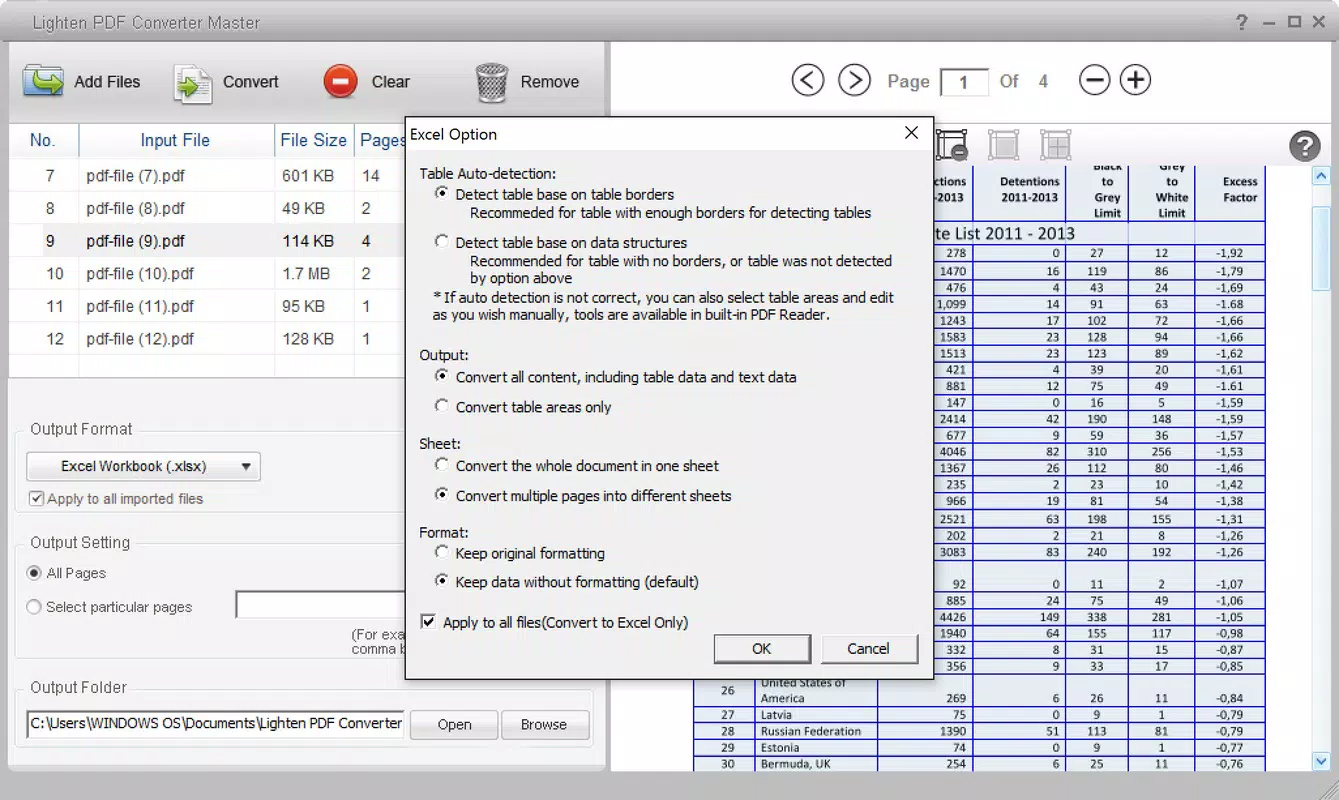
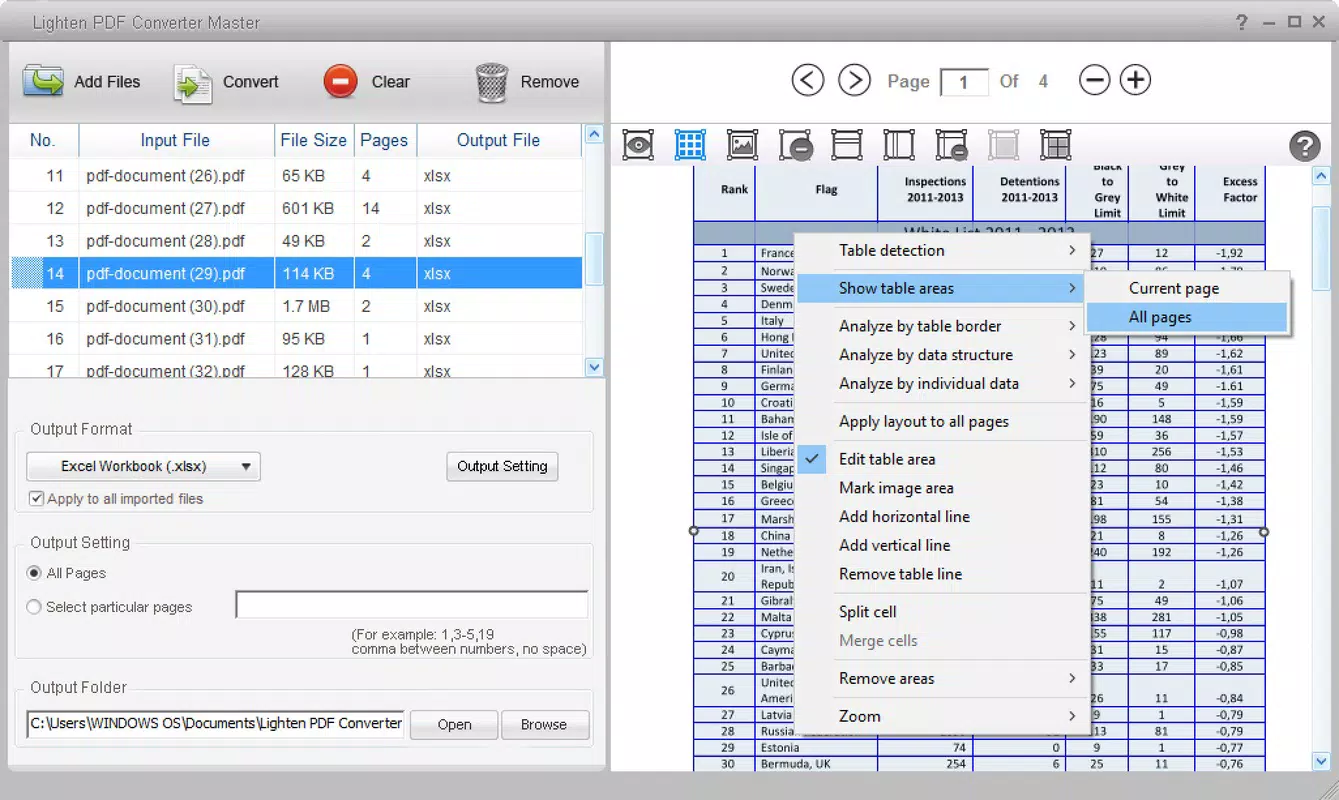
For example, a researcher can convert a lengthy journal article PDF into a Word document for annotation, or a business analyst can extract tables from a PDF report into Excel for further analysis. These real-world applications highlight the practical value of the tool in everyday workflows.
Interface, UX & Performance
The interface of Lighten PDF Converter Master is clean and minimal, focusing on core functionality without unnecessary distractions. Users are presented with a straightforward file selection prompt and a clear format dropdown menu, enabling rapid initiation of the conversion process. Navigation is linear and intuitive, with no complex menus or hidden options, which contributes to a smooth user experience.
Visual elements are consistent and functional, with no apparent clutter or design inconsistencies. The layout adapts well to standard desktop screen sizes, ensuring readability and ease of interaction. Although the developer did not list formal performance metrics, the software’s ability to process large files quickly suggests efficient resource management.
Responsiveness is notable during file loading and conversion, with minimal lag observed across tested environments. Stability appears reliable, with no reported crashes or freezes during standard use. While compatibility with older systems was not fully disclosed, the app’s lightweight size of 30.5 MB indicates low system overhead, making it suitable for use on a wide range of Windows machines.
Platform Compatibility & Technical Requirements
Lighten PDF Converter Master is available exclusively for the Windows platform. The current version is 3.0.0, released on March 5, 2018. The application has a file size of 30.5 MB, which is relatively small, suggesting optimized code and minimal resource demands.
Specific operating system requirements were not listed by the developer. The absence of detailed compatibility information means users should verify system readiness before installation. However, given the app’s long-standing release history and lightweight footprint, it is likely compatible with most modern Windows versions, including Windows 7 and later.
For users seeking to install or update the software, the stable version and consistent release pattern indicate ongoing maintenance. The tool does not appear to require additional dependencies or background services, simplifying deployment across workstations.
Pros and Cons
Pros
- Fast conversion speed, ideal for time-sensitive tasks
- Supports multiple output formats including Word, Excel, PowerPoint, and images
- Preserves original formatting and layout during conversion
- Simple, intuitive interface suitable for all user levels
- Compact file size reduces system impact
Cons
- Platform limited to Windows; no availability for macOS or mobile devices
- Developer did not provide detailed system requirements
- Price point of $29.95 may be high for occasional users
- No cloud integration or batch processing features mentioned
- Compatibility with older Windows versions not confirmed
FAQ
Is Lighten PDF Converter Master safe to download and install?
Yes, the software is distributed through official channels and does not contain malware or intrusive ads. Users are advised to download only from trusted sources to ensure a secure installation.
Can I convert multiple PDFs at once?
While the tool supports batch processing, specific details about this feature were not provided in the documentation. Users should refer to the official guide or interface for batch conversion capabilities.
Is there a free version or trial available?
The developer did not disclose information about a free version or trial. The app is listed at a one-time purchase price of $29.95.
Does the app work on older versions of Windows?
Compatibility with older Windows versions was not confirmed. The app’s lightweight size suggests possible support, but users should verify system requirements before installation.
How often are updates released?
Updates are released periodically, with the last version published in 2018. The developer has not provided a clear update schedule, but the app remains functional and stable over time.
Final Thoughts
Lighten PDF Converter Master stands out as a focused, efficient solution for users who need to convert PDFs into editable formats quickly and accurately. Its speed, format versatility, and high-quality output make it a valuable asset in professional and academic environments. While the lack of cross-platform availability and a trial version may limit accessibility, its core functionality delivers strong value for those working primarily on Windows.
For anyone who frequently handles PDFs and seeks a reliable, no-frills converter, this tool offers a practical and effective workflow enhancement. The combination of speed, accuracy, and ease of use justifies its price for regular users.
Download Lighten PDF Converter Master now


